
Create a Basic Tier Rule
The Base Rules tab is used to define Basic Tier Rules for a Tier Table. A Basic Tier Rule is used to define a Metric threshold or condition required for a Member to attain a given Tier.
This topic assumes that you have already created the Tiers for this Tier Scheme (see Define the Tiers in a Tier Scheme), and that you have created the Tier Table (see Create a Tier Table).
Note: Multiple columns in a Tier Table are joined with an AND operator, meaning a Member must meet all column conditions to satisfy the requirements and attain a Tier. Conversely, columns within a Metric Group are joined with an OR operator, meaning a Member must meet only one of those conditions to satisfy the overall Metric Group column.
To create a Basic Tier Rule:
-
Select Rules from the top navigation bar, then select Tier Schemes from the side navigation menu. The Tier Schemes screen is displayed.
-
Search for and select the desired Tier Scheme (see
-
Select the Base Rules tab. The platform displays all the Tier Tables defined in this Tier Scheme.
-
Optionally search for the desired Tier Table (see
-
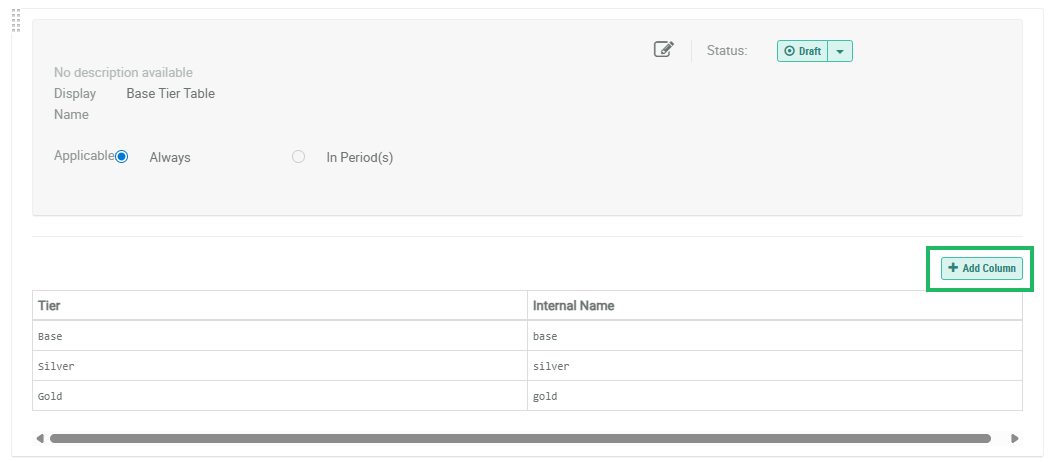
Within the section for the desired Tier Table, click Add Column. The New Tier Column pop-up window is displayed.
-
Configure the Column Type:
 Metric
A Metric column allows you to define a simple condition where a Member must accrue a specified Metric balance to reach a Tier.
-
Within the New Tier Column pop-up window, select Metric.
-
From the drop-down menu, select the desired Metric.
-
Click Save. The platform adds a new column to the Tier Table. For a Metric column type, the column name is simply the name of the selected Metric.
-
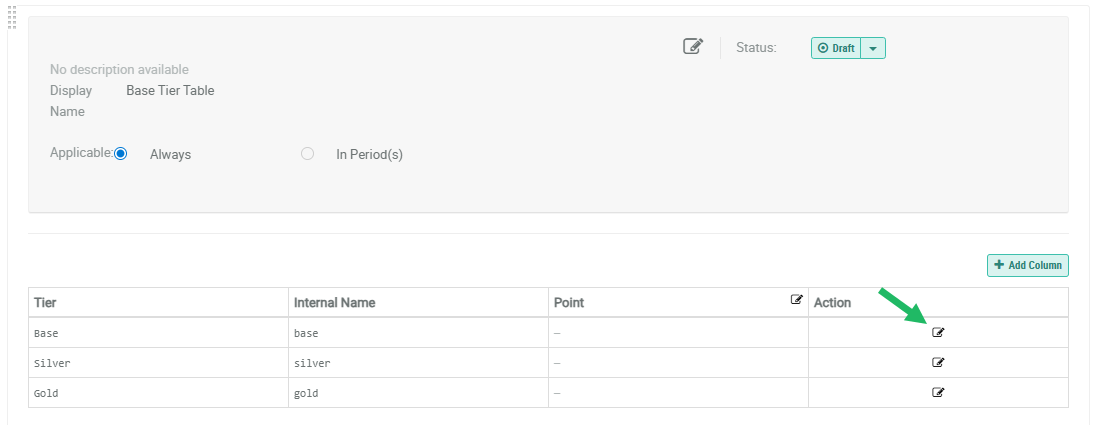
To define the required Metric balance for a Tier, click the Edit icon in the Action column. The Edit Tier Column Value pop-up window is displayed.
-
Enter the balance the Member must accrue to attain this Tier.
-
Click Save. The corresponding cell in the Tier Table is populated with the value you entered above.
-
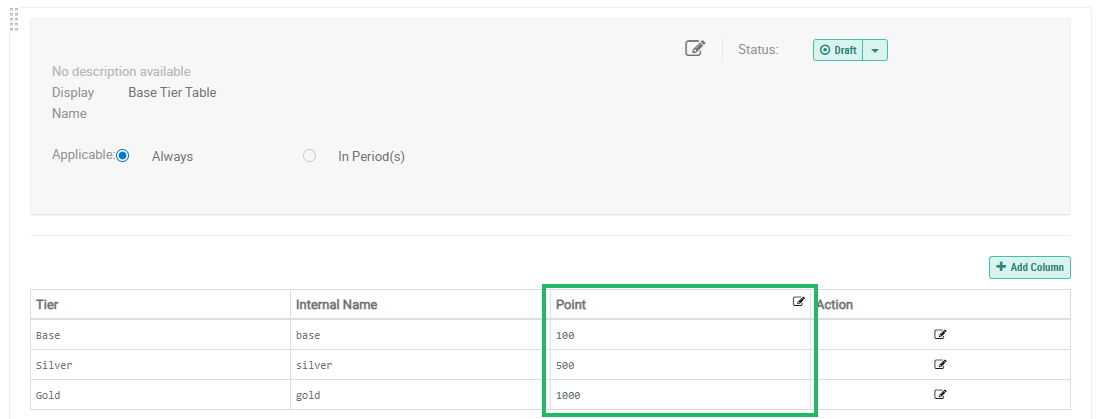
Repeat the above steps to define the required balance for the remaining Tiers in the Tier Table. For example:
Metric Group
A Metric Group refers to a set of two or more Metric columns. A Member has to meet the conditions of only one of these Metric columns for the entire Metric Group to be satisfied. That is, the columns in the Metric Group are joined with an OR operator.
-
Within the New Tier Column pop-up window, select Metric Group.
-
In the Display Name field, enter a name for the Metric Group.
-
By default, the Metric Group includes two Metric columns. From the first drop-down menu, select the desired Metric.
-
From the second drop-down menu, select the desired Metric.
-
Optionally, to include more columns in the Metric Group, click Add Metric, then select the desired Metric from the drop-down menu. Repeat this step as needed.
-
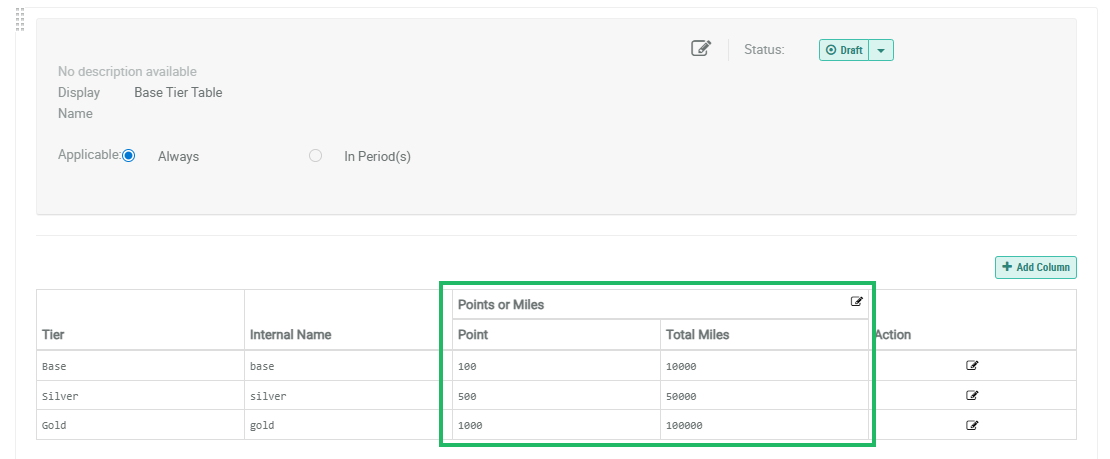
Click Save. The platform adds the Metric Group to the Tier Table. For a Metric Group, the name you entered above is displayed in the overall header row. The individual columns within the group use the Metric names as the column names.
-
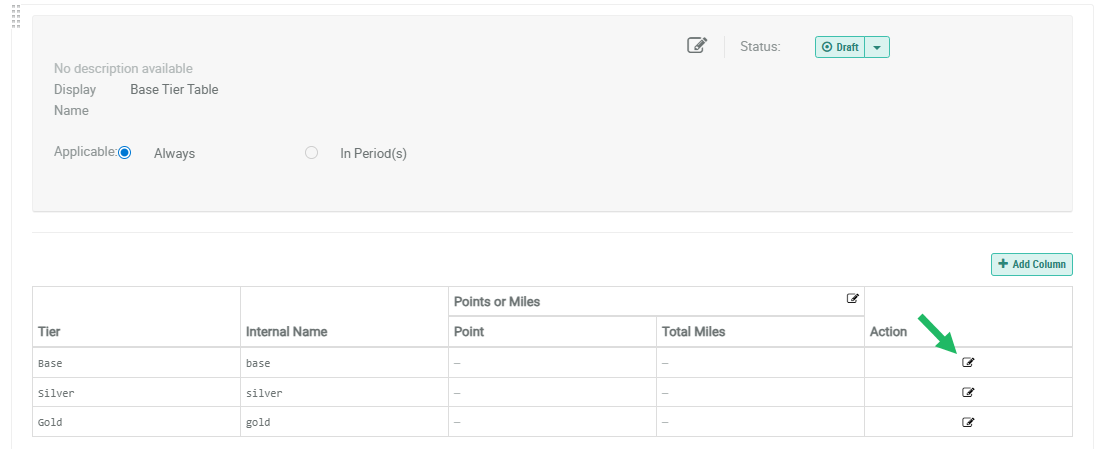
To define the required balances for each Metric column within the Metric Group, click the Edit icon in the Action column. The Edit Tier Column Value pop-up window is displayed.
-
For each Metric column in the group, enter the desired Metric balance.
-
Click Save. The corresponding cells in the Tier Table are populated with the values you entered above.
-
Repeat the above steps to define the required balances for the remaining Tiers in the Tier Table. For example:
Expression
An Expression column allows you to define a custom Groovy expression. The expression has to evaluate to "true" for the column condition to be satisfied.
-
Within the New Tier Column pop-up window, select Expression.
-
In the Display Name field, enter a name for the expression.
-
In the Expression field, enter the Groovy expression.
-
Click Save. The platform adds a new column to the Tier Table. For an Expression column, the name you entered above is displayed in the header row.
-
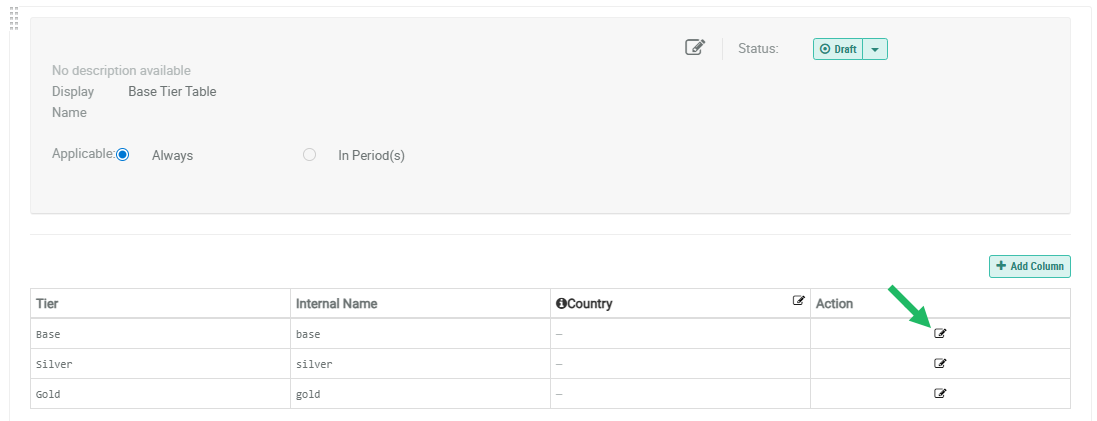
The expression must evaluate to "true" for the column condition to be satisfied. To define the required value for the Expression, click the Edit icon in the Action column. The Edit Tier Column Value pop-up window is displayed.
-
Enter the value needed for this expression to evaluate to "true."
-
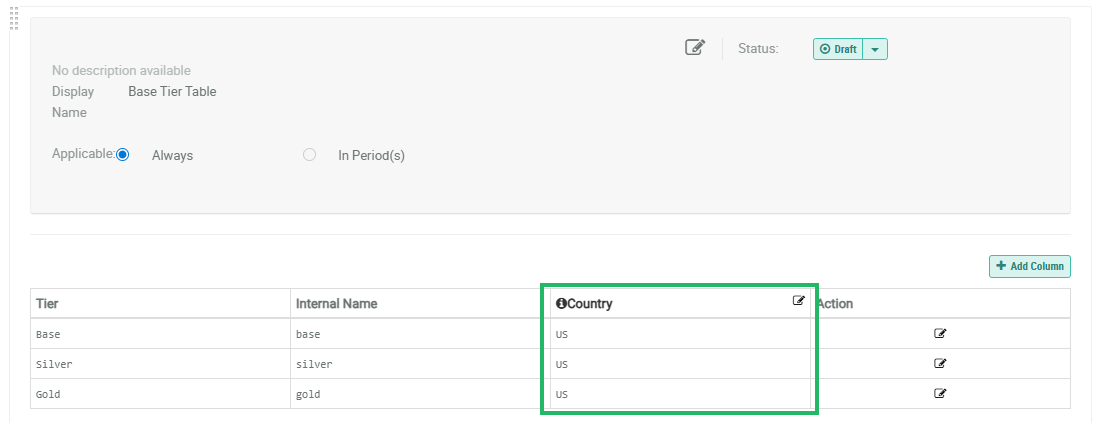
Click Save. The corresponding cell in the Tier Table is populated with the value you entered above.
-
Repeat the above steps to define the required expression values for the remaining Tiers in the Tier Table. For example:
-
Repeat the above steps as needed to define additional columns in the Tier Table.
